Project profitability tracking software from source records
Review project margin, invoice revenue, project expenses and entered delivery costs together, then trace profitability analytics back to source records.
Definition and example
Definition · 2026-10-12
Project profitability software organizes revenue and delivery costs for a defined project, period and currency. FollowIncome maintains invoice, payment, expense and task records that support an operational review. Choose a revenue basis before subtracting costs and trace material figures to source records. The result depends on record completeness and is not an audited accounting profit or tax calculation.
With 8,000 invoice revenue, 1,200 direct expenses and 2,300 separate delivery costs, the operational result is 4,500.
Do not count the same delivery cost twice. Invoice revenue and cash receipts use different bases. Task duration and hourly-rate context require a separately reviewed cost assumption; they do not establish actual payroll cost. Neither view automatically includes overhead or tax.
Published by FollowIncome · Reviewed 2026-10-12 against the described product records. Request a correction.
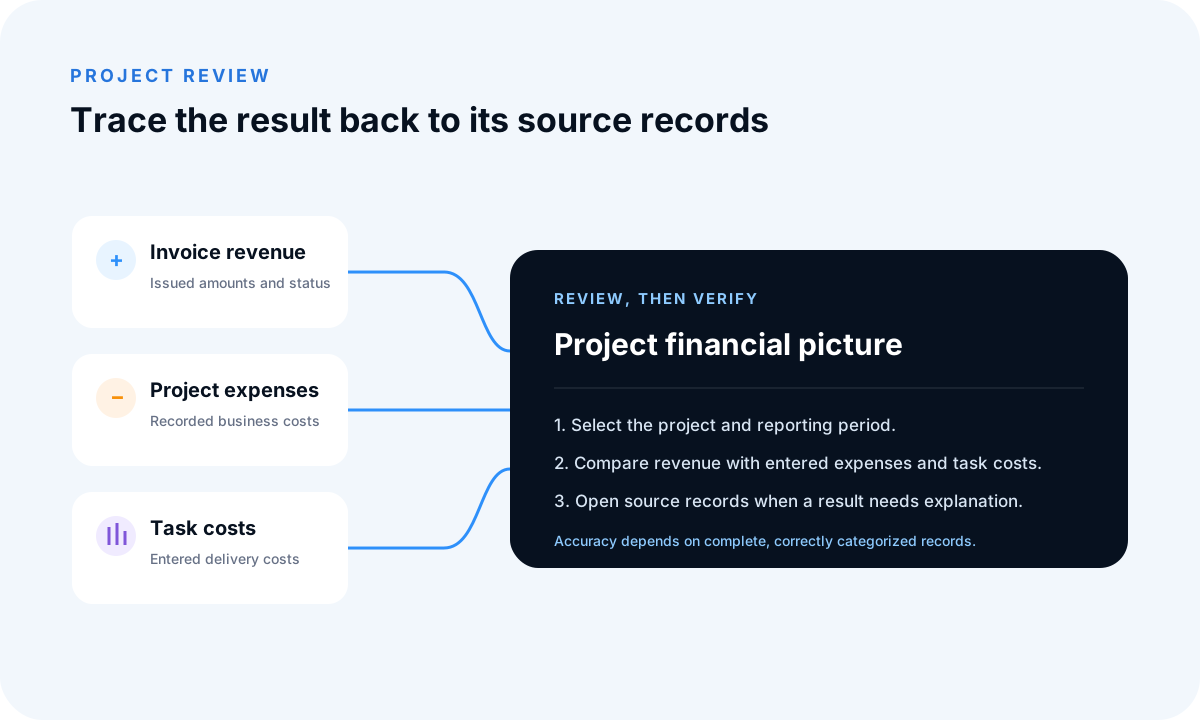
Define the project and reporting question
Decide which company, project, period and revenue basis you are reviewing. Issued invoices and recorded payments represent different events, so a useful profitability review states which one it uses and which delivery costs belong to the same scope.
Capture the costs behind delivery
Connect direct project expenses and relevant task costs while their context is available. Shared overhead, owner time, payroll, tax and currency effects may need separate allocation or professional treatment rather than being assumed by the application.
Calculate, then investigate
A basic operational result subtracts direct project expenses and delivery costs from the chosen project revenue. For example, 8,000 of invoice revenue minus 1,200 of expenses and 2,300 of task costs gives 4,500 before missing costs, overhead, tax or currency adjustments.
Track margin consistently
Repeat the review with the same revenue basis, cost scope and period so a project margin change can be explained. Compare every important change with its invoices, payments, expenses and task costs before acting on it.
Verify before relying
Use sales, payment, expense, task and profit-and-loss reports to identify the records behind a result. Check dates, categories, project links, credits and cancelled documents. FollowIncome reports are not audited financial statements.
Related profitability workflows
See how creative agencies connect project delivery and profitability, review project budgets beside actual costs, or inspect task cost tracking.
Related guides and tools
Project costs and profitability
Plan revenue and delivery costs, then compare the estimate with recorded project results.
- Project profitability calculator
- Client profitability calculator
- Retainer profitability calculator
- Profitability toolkit
- Project profitability guide
- Task cost tracking
Agency capacity, clients, and retainers
Connect billable capacity with the profitability of client relationships and recurring retainers.
Frequently asked questions
How is project profitability calculated?
A basic operational calculation is project revenue minus project expenses and other delivery costs recorded for the same scope and period. The exact interpretation depends on the records and filters used.
Are payments the same as revenue?
Not necessarily. An issued invoice and a received payment represent different events, so choose the view that answers your specific question.
Does the report include every business cost?
Only costs represented by the records and configuration used by the report. Shared overhead and external accounting adjustments may require separate treatment.
Can I export the underlying data?
FollowIncome provides filtering and export options on relevant reporting views for further review.
Read practical guides, explore all features or create a free account.