Monitor business activity across every company
Follow financial signals, customer activity, website health and connected errors for freelance, agency, consulting, SaaS, e-commerce, marketplace and other company workspaces.
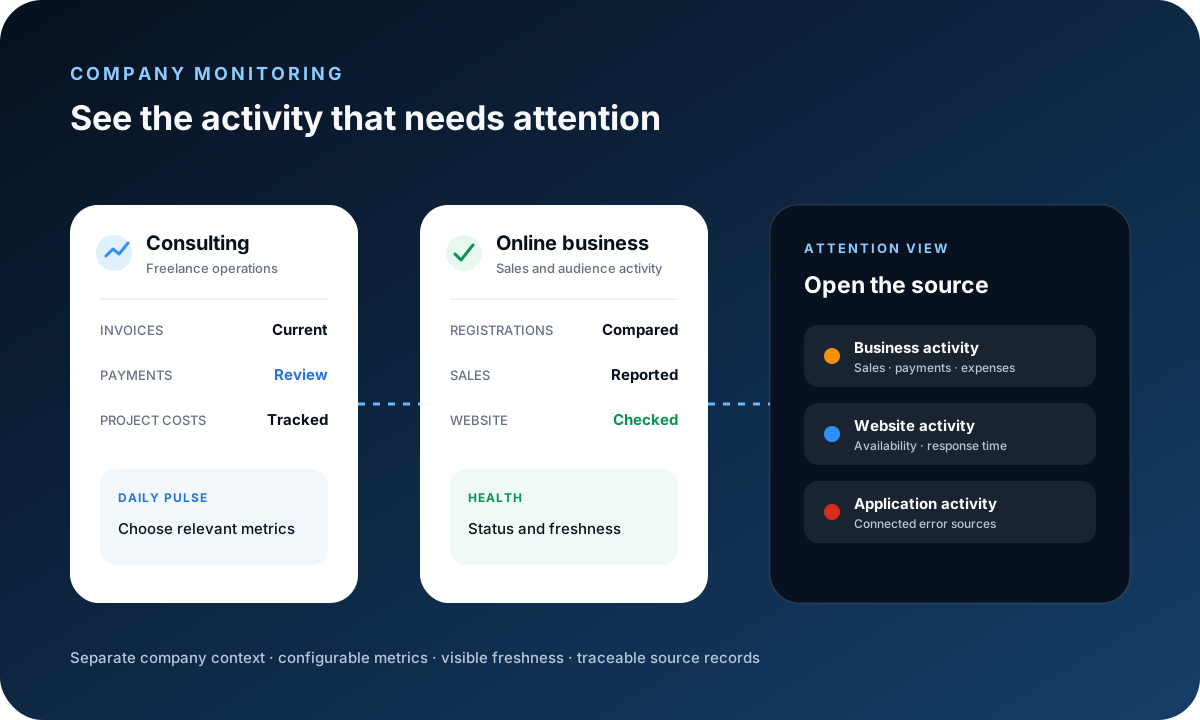
Choose the main metrics for each business
A freelancer may prioritize invoices, payments and project profitability, while an online business may focus on registrations, sales, website status and recent errors. Configure the daily pulse and dashboard around the available indicators that matter to each company.
What you can monitor
Group the available signals by audience activity, money, delivery and technical health. Review registrations and customers; sales, payments, invoices, expenses and overdue balances; projects, tasks, budgets, costs and profitability; plus configured website status, response time and connected errors.
Review business and sales activity
Use recorded registrations, customers, invoices, sales, payments, expenses, overdue balances and project results to understand current operations. Daily comparisons can show supported activity for today, yesterday and a seven-day average.
Connect website and application monitoring
Website Ping can check configured HTTPS pages for availability, HTTP status and response time, with stored checks supporting recent uptime summaries. Supported Sentry connections can surface recent application errors. Sanitized server logs are restricted to platform administrators.
See which company needs attention
Company status, alerts and freshness labels help identify invalid connections, overdue invoices, unusual activity, website failures or new errors. Open the underlying report, record or provider before treating an alert as a diagnosis.
Example and limitations
One operator can keep consulting, subscription and agency activity in separate workspaces, each with different selected metrics. Results depend on complete source records, valid connections, permissions and recent refreshes; FollowIncome is not automatic bank reconciliation or a full infrastructure-monitoring service.
Frequently asked questions
What business activity can FollowIncome monitor?
Available views can cover registrations, customers, invoices, sales, payments, expenses, overdue balances, project activity, website checks and connected error sources. Exact metrics depend on company data, permissions and configuration.
Can I monitor several companies in one account?
Yes, when the account has access to those company workspaces. Each company keeps its own records, settings, dashboard layout and service connections.
Can freelancers and online businesses use different metrics?
Yes. The daily pulse and dashboard can be configured around the available indicators that matter to each company.
Does FollowIncome monitor website uptime?
A Website Ping widget can check configured HTTPS pages, report status and response time, and use stored results for recent uptime summaries. It is not a service-level guarantee.
Can FollowIncome show server and application errors?
Supported Sentry connections can surface recent errors. Sanitized server-log monitoring is limited to platform administrators and requires an appropriate configured source.
Are the financial metrics bank reconciled?
No. FollowIncome reports from recorded operational data and configured integrations. Verify payment and financial records against the relevant bank, processor or accounting source.
Read practical guides, explore all features or create a free account.