Simple CRM for Freelancers
Connect client details to projects, follow-up tasks, invoices, recorded payments and outstanding balances without adopting a complex CRM built for a large sales team.
See who owes you money
Keep invoices and recorded full or partial payments separate so billed, paid and outstanding amounts remain visible. Use overdue status and focused payment or sales reports to find balances that need review, then confirm every payment against the relevant bank or processor source.
Know when your next project starts
Give each project a customer, start date, end date, status and budget. Upcoming work then has a clear operational record that can connect to tasks, estimates, invoices, expenses and later profitability review instead of living only in a separate calendar or spreadsheet.
Keep cold leads from disappearing
Save the contact as a customer and create a dated follow-up task. A consistent tag such as cold lead keeps manual follow-up searchable. FollowIncome does not currently provide automatic lead scoring, campaign sequences or a dedicated drag-and-drop sales pipeline.
Replace the duct-taped client workflow
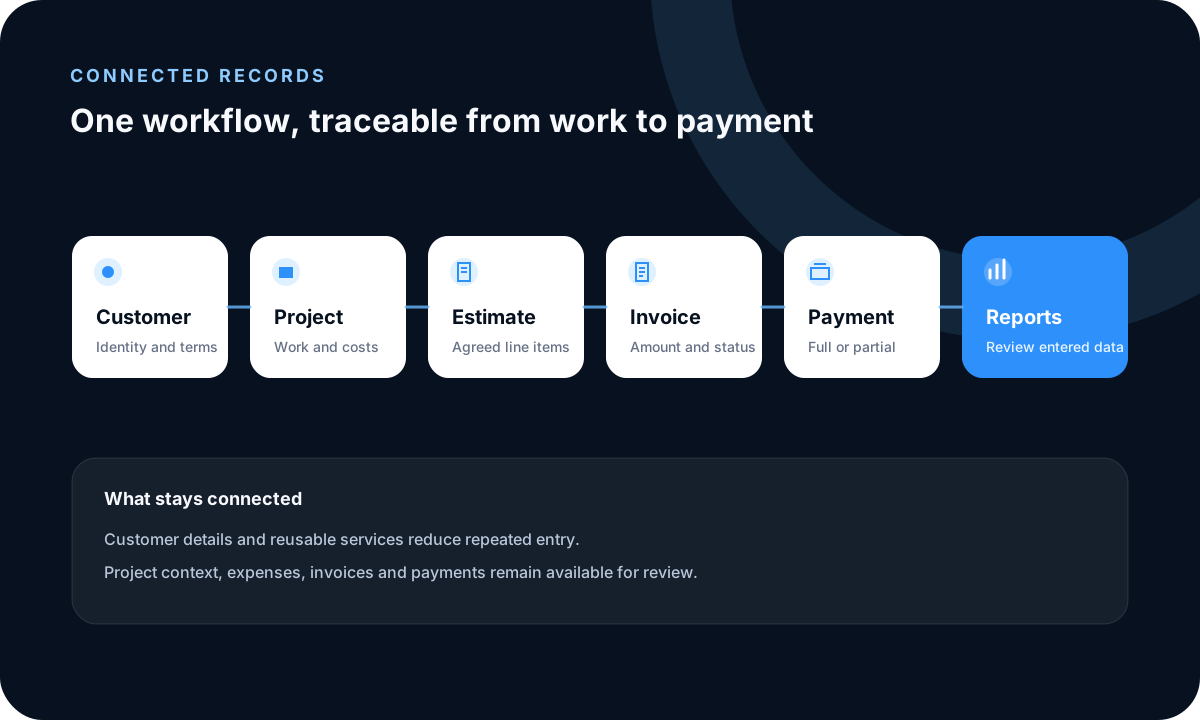
A spreadsheet for leads, a calendar for projects and another tool for invoices can force the same customer context into several places. FollowIncome connects customer, project, task and billing records while preserving the source details needed to investigate a date, status or balance.
Use the boring core without enterprise CRM bloat
FollowIncome provides basic record creation and maintenance for customers, projects, tasks, estimates, invoices and payments. It centers freelance delivery and cash flow rather than sales-manager forecasting, automated outreach or a large-team pipeline.
Compare a freelance CRM by the work after the lead
Compare how client details connect to project dates, delivery tasks, estimates, invoices, payments, outstanding balances and follow-up. Choose a dedicated sales platform when lead scoring, forecasting or automated outreach is the primary requirement.
Example and boundaries
A consultant can review an overdue invoice, see a confirmed project starting later in the week and open a task tagged cold lead for a prospect who stopped replying. The workflow is deliberately manual, and every financial status remains only as reliable as the maintained source records.
Related guides and tools
Freelance rates, invoices, and client management
Set a sustainable rate and connect it to estimates, invoices, payments, and client records.
Frequently asked questions
Is FollowIncome a simple CRM for freelancers?
Yes, when the CRM workflow centers on customer records, projects, tasks, invoices, payments and manual follow-up. It is not an enterprise sales automation platform.
Can FollowIncome show who owes me money?
Invoices and recorded payments keep billed, paid and outstanding amounts distinguishable. Payment entries should be verified against the relevant bank or processor source.
Can I track when my next freelance project starts?
Yes. Projects include start and end dates, customer context, status and budget fields.
Can I track cold leads?
You can maintain a customer record and attach a dated task with a consistent tag such as cold lead. FollowIncome does not currently provide automatic lead scoring or a dedicated sales pipeline.
What should a freelancer compare in CRM software?
Compare how client details connect to project dates, delivery tasks, estimates, invoices, payments, outstanding balances and follow-up. Choose a dedicated sales platform if lead scoring, forecasting or automated outreach is the main requirement.
Is this CRM free for freelancers?
A limited number of current registrations receive lifetime-free FollowIncome access and no subscription or credit card is required. Future paid plans apply to registrations made after the offer closes.
Does FollowIncome automate outreach?
No dedicated email-sequence or automated cold-outreach capability is claimed. Follow-up is managed through the records and tasks you maintain.
Read practical guides, explore all features or create a free account.