WordPress maintenance automation with human-controlled updates
Organize a recurring WordPress care plan with website uptime checks, response-time history, connected activity signals and accountable maintenance tasks.
Definition and example
Definition · 2026-10-13
WordPress maintenance automation schedules recurring website-care checks, alerts and documented work. A reliable care plan covers availability, restorable backups, security, updates and post-change testing while retaining human responsibility for compatibility and recovery decisions. FollowIncome monitors configured HTTPS pages, retains response-time and recent uptime summaries, surfaces supported connected activity and organizes accountable tasks; it does not install updates, back up sites, remove malware or provide managed maintenance.
A monthly care-plan review can combine a pre-change site check, backup verification in the responsible backup system, approved updates, critical-journey testing and a documented post-change result.
A successful uptime check does not verify every page, form, scheduled job, plugin or payment flow. Use suitable backup, security, staging and recovery systems for the site's risk profile.
Published by FollowIncome · Reviewed 2026-10-13 against the described product records. Request a correction.
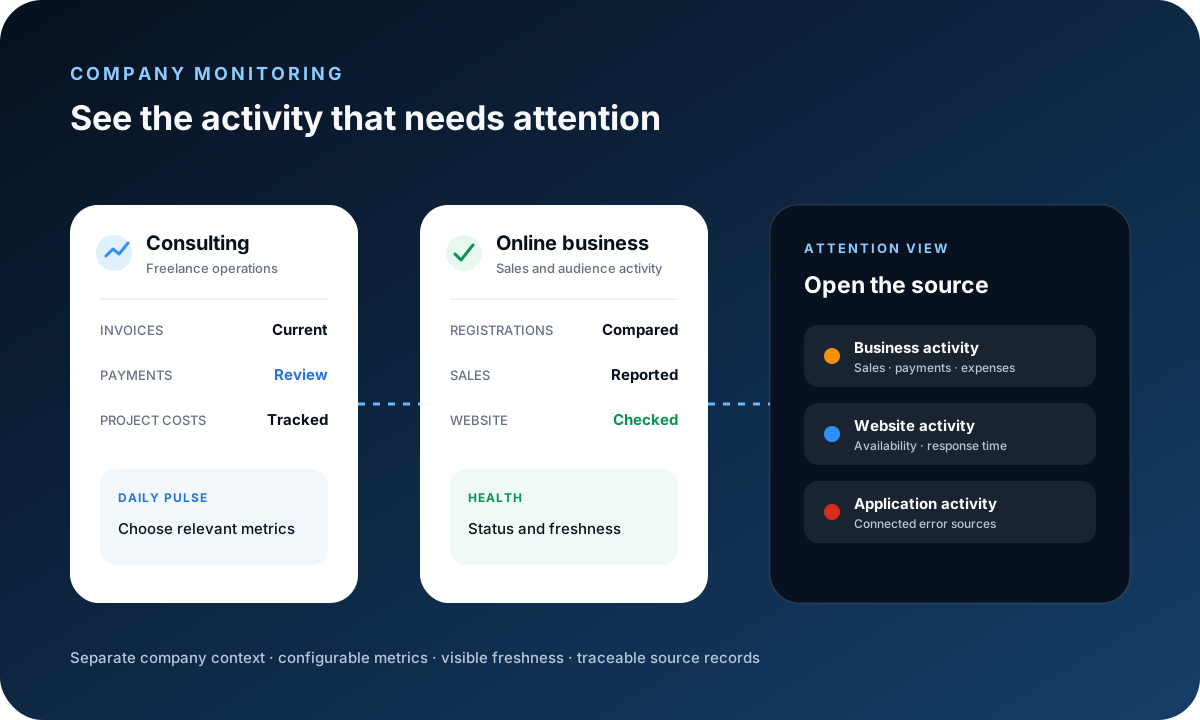
Establish a site-health baseline
Configure the production HTTPS page for availability, HTTP-status and response-time checks. Record the site owner, maintenance scope and recovery contacts before making changes.
Automate the evidence, not the risky decision
Scheduled monitoring can remove repetitive checking, while core, theme and plugin updates still need a tested backup, compatibility review, controlled maintenance window and rollback plan.
Create a tightly scoped care plan
Define the covered domains, review cadence, backup responsibility, update approval rule, critical journeys, response target and escalation contact. Separate routine maintenance from emergency development and incident recovery.
Include the full care-plan checklist
Define the core, plugin and theme update policy; off-site backups and restore testing; security ownership; uptime, SSL and performance checks; critical form or checkout tests; reporting; escalation; and excluded work. Automation should preserve evidence without hiding responsibility for compatibility or recovery.
Choose software around the required outcome
Site owners may prioritize safe updates and recovery, while agencies may need multi-site bulk actions, client reports, team permissions and white-label delivery. Confirm whether a platform includes restore points, visual checks and malware cleanup or only detects and reports problems.
Verify every maintenance window
After approved changes, recheck public pages and important customer journeys, review available error signals and document the result. A completed update command is not proof of a healthy site.
Keep product limits explicit
FollowIncome does not currently install WordPress updates, create or restore site backups, scan for malware, repair compromised sites or provide an outsourced maintenance service. Use appropriate specialist systems where required.
Learn from the established maintenance platforms
GoWP promotes a free site-health check followed by recurring care built around safe updates, daily backups, security scans, uptime monitoring, reports and human support. ManageWP promotes a free multi-site dashboard with centralized updates, backups, security, performance, uptime, reporting and white-label agency tools. FollowIncome currently addresses the narrower monitoring and accountable-workflow layer rather than claiming those specialist maintenance functions.
What WordPress maintenance platforms promote
Reviewed October 13, 2026 from the competitors’ official feature pages.
| Promoted capability | GoWP | ManageWP |
|---|---|---|
| Core positioning | Maintenance, editing, monitoring and real-person support in one dashboard. | Unlimited WordPress sites in one dashboard with maintenance and reporting tools. |
| Entry offer | A free site-health check and free plan leading into recurring per-site care. | Free core features for unlimited sites, with modular premium add-ons and bundles. |
| Safe updates | Restore points, visual checks and rollback around automated updates. | Centralized and bulk updates, with Safe Updates tied to premium Backup. |
| Backups and security | Daily off-site backups, malware and file-integrity scans, and cleanup. | Cloud backups, security checks and premium vulnerability protection. |
| Monitoring and proof | Uptime and SSL monitoring plus maintenance reports. | Uptime, performance, SEO and broken-link monitoring plus client reports. |
| Agency workflow | Branding, white-label options, helpdesk support and human edits. | Collaboration, white-label tools, one-click login and bulk actions. |
These are competitor claims, not FollowIncome capabilities. Features, packaging and pricing can change; verify the current details at GoWP and ManageWP.
Frequently asked questions
What is WordPress maintenance automation?
WordPress maintenance automation schedules repeatable site checks and maintenance work while retaining human review for high-risk updates and recovery decisions.
Does FollowIncome automatically update WordPress core or plugins?
No. FollowIncome does not currently install WordPress core, theme or plugin updates. It can organize the recurring work and show supported monitoring signals around the process.
Is FollowIncome a managed WordPress maintenance service?
No. It is a business-operations and monitoring workspace, not an outsourced WordPress maintenance agency or white-label fulfillment service.
Can FollowIncome monitor WordPress uptime?
A Website Ping widget can check configured HTTPS pages for availability, HTTP status and response time, with stored checks supporting recent uptime summaries. This is not a service-level guarantee.
Does FollowIncome back up or restore WordPress sites?
No. Use a suitable hosting or backup system, confirm that backups are restorable and document responsibility in the care plan.
Can I use this workflow for several WordPress sites?
You can organize company-scoped monitoring and maintenance work for the sites you are authorized to manage. Keep credentials, ownership and client boundaries explicit.
How much does WordPress maintenance cost?
Cost depends on site complexity, change frequency, response expectations and whether backups, security, development or emergency support are included. Define the scope before setting a recurring price.
What should a WordPress maintenance plan include?
A practical plan defines update review, restorable backups, security scanning, uptime monitoring, post-change tests, reporting, response expectations, exclusions and rollback responsibility.
Is FollowIncome an alternative to GoWP or ManageWP?
Not for automated updates, backups, malware cleanup or white-label maintenance delivery. FollowIncome can complement those tools by connecting website-health signals to company records, owners and recurring tasks.
Should WordPress updates be fully automated?
Low-risk updates may be automated when a tested backup and rollback process exists. Compatibility-sensitive sites should retain human review and verify critical pages, forms, checkout flows and custom code after changes.
Read practical guides, explore all features or create a free account.