Project financial reporting from connected records
Use sales, payments, expenses, taxes, tasks and operational profit-and-loss reports to answer a defined question and trace totals to source records.
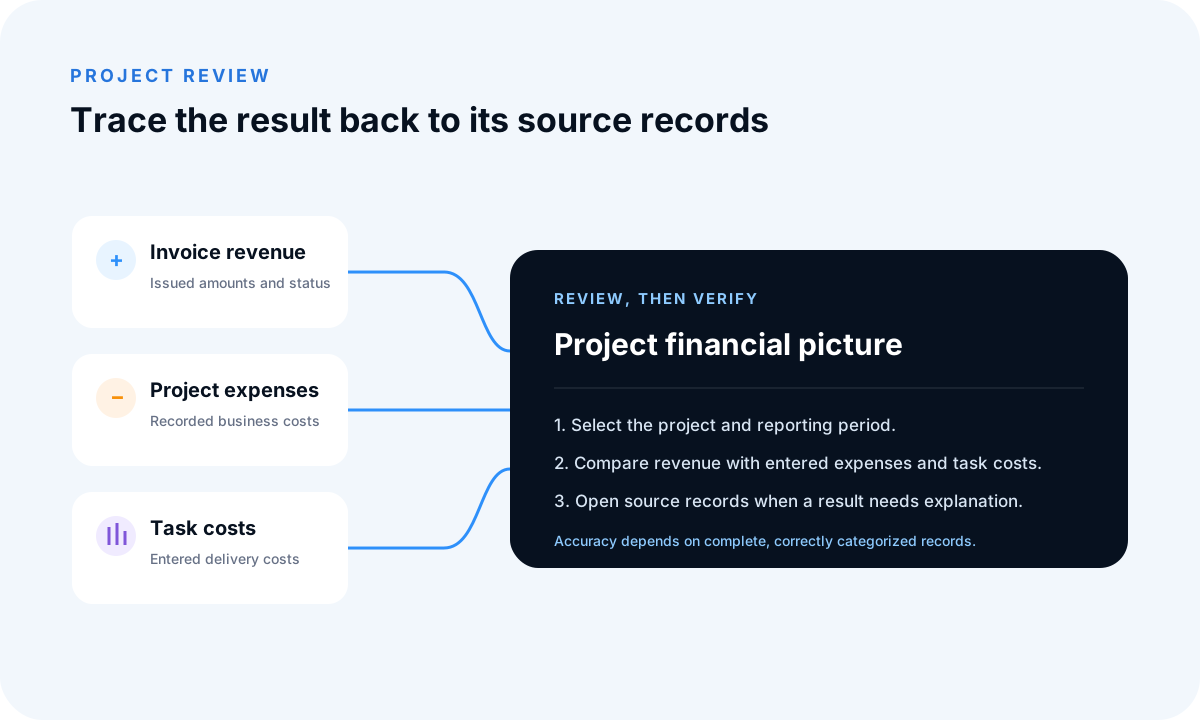
Choose the report that matches the question
Sales reports describe invoice activity; payment reports describe recorded receipts; expense and task reports describe entered delivery records. Define the company, reporting period and whether the question concerns billing, cash or delivery before comparing totals.
Set and preserve the scope
Apply the available dates, customers, projects or other filters consistently. Record the scope when sharing or exporting a result so another person can understand which records were included.
Investigate source records
When a figure is unusual, inspect the invoice, payment, expense or task behind it. Correct incomplete information in the underlying record so dashboards, reports and future exports remain consistent.
Know the reporting boundary
Exports are snapshots and will not automatically change after later corrections. FollowIncome reports support operational review; they are not audited financial statements and do not replace professional accounting or tax work.
Frequently asked questions
Are FollowIncome reports audited statements?
No. Accuracy depends on entered records and configuration, and the reports do not replace professional accounting or tax work.
Can a report be exported?
Relevant reporting views provide export or PDF-generation options for further review.
Read practical guides, explore all features or create a free account.