Track task costs inside each project
Organize tasks and task groups, record delivery-cost context and use task and project reports to investigate how entered work affected the result.
Definition and example
Definition · 2026-10-15
Task cost tracking assigns recorded delivery costs to individual tasks within a project. In FollowIncome, tasks and task groups keep that cost context connected to the work, while project expenses record separate spending. Define which costs each record includes before using them to assess profitability.
Recorded task delivery cost = the sum of entered costs for the selected project tasks.
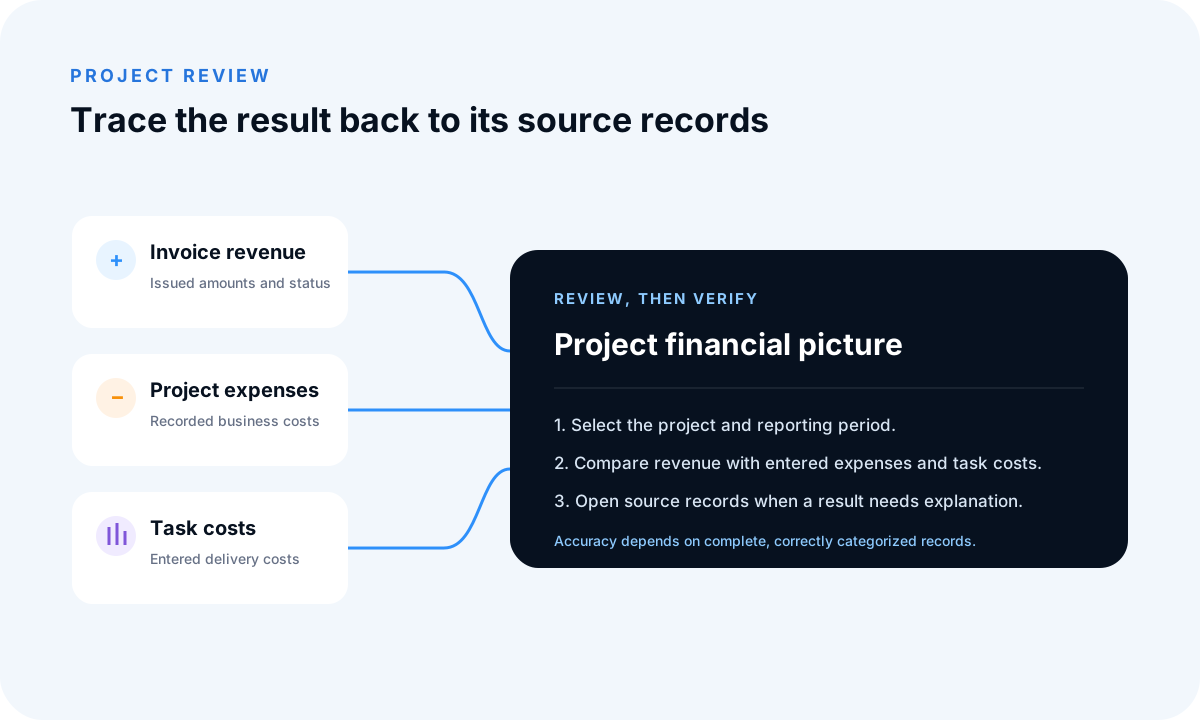
For one project, design tasks have 600 of entered delivery costs, implementation has 1,400 and review has 300. Their recorded task cost is 2,300. If the project also has 1,200 of separate expenses, the combined recorded cost is 3,500. Against 8,000 of invoice revenue, that leaves an operational result of 4,500 before omitted overhead, tax or other adjustments.
Count each cost once. A contractor invoice already included as a project expense must not also be added as a task delivery cost. Task assignment and duration do not establish actual payroll cost, and FollowIncome does not automatically measure employee time or import every cost.
- Calculate project profitability from these costs
- Review project revenue and delivery costs
- Keep business expenses separate
Published by FollowIncome · Reviewed 2026-10-15 against the described product records. Request a correction.
Attach cost context to delivery work
A task can explain which piece of work incurred an entered cost and which project it belongs to. Consistent task groups, assignments and cost definitions make later review easier without claiming that assignment alone measures cost or completion.
Separate entered cost from time tracking
Do not assume automatic time tracking. An entered task cost is an operational record and may omit payroll burden, owner time, overhead or external adjustments. Define what the field represents, apply the convention consistently and document material omissions.
Investigate through reports
Task reports and project profitability views can surface delivery records for an explicit project and period. When a figure looks wrong, inspect the task, project link, date and cost definition before changing a summary. Exports remain snapshots of selected records and filters.
Example and limitations
A team can divide work into design, implementation and review task groups, record supported delivery costs on relevant tasks and keep external purchases as project expenses. The combined view remains only as complete as the maintained source records.
Related guides and tools
Project costs and profitability
Plan revenue and delivery costs, then compare the estimate with recorded project results.
Frequently asked questions
Can FollowIncome track costs by task?
Yes. Tasks can carry entered delivery-cost context and remain connected to their project for task and profitability review. Confirm the cost definition and avoid counting the same cost as both a task cost and a project expense.
How do I calculate the cost of project tasks?
Add the entered delivery costs for the tasks in the project and period you are reviewing. Keep the same cost definition across tasks and record omitted costs separately.
How are task costs different from project expenses?
Task costs describe delivery activity; project expenses record spending. Review the source records so that the same contractor invoice or purchase is not counted in both.
Does task cost tracking automatically track employee time?
No. Task assignments, duration and hourly-rate context do not establish actual payroll cost. Review a separate cost assumption if you use those figures.
Read practical guides, explore all features or create a free account.