FollowIncome help
A practical map for workspace setup, customer billing, payment records, expenses, reports and account support.
Set up a workspace
Create an account, verify the email and add the company details used for documents and reports. Review currency, date formats, document appearance and preferences before inviting collaborators. Enable multi-factor authentication and secure recovery information.
Move from customer to payment
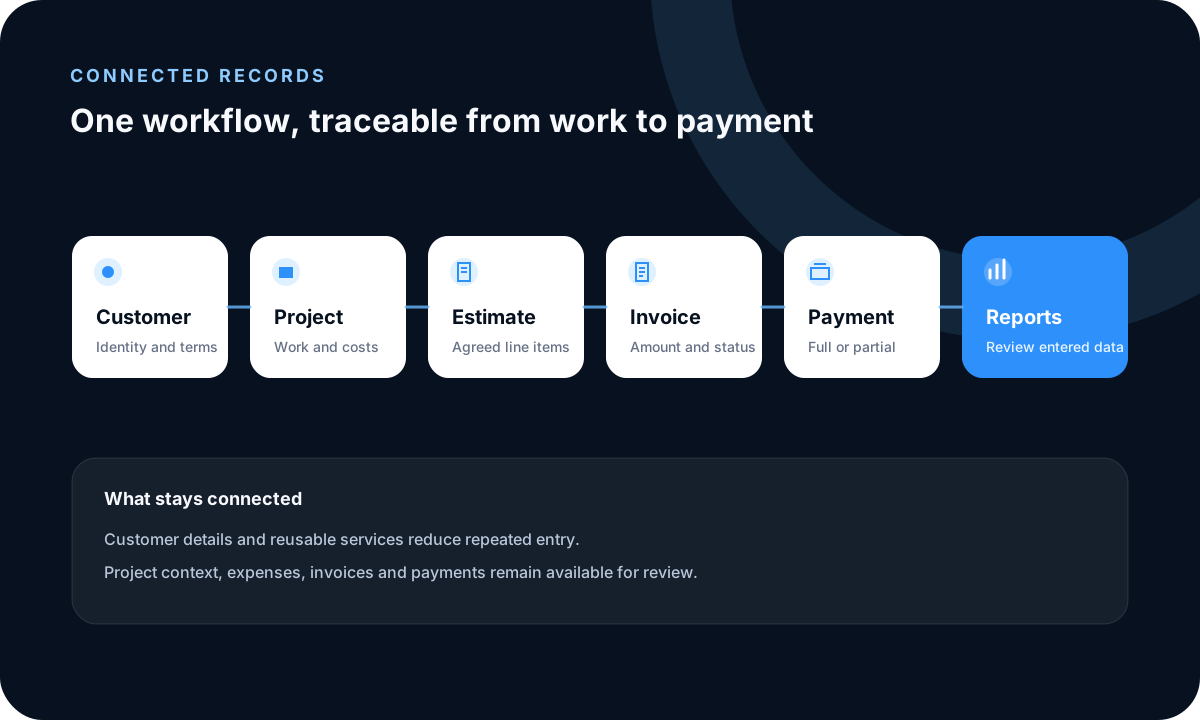
Add the customer, then create a project when tasks, costs or delivery notes need to stay connected. Prepare an estimate or invoice from the correct company and customer. Confirm funds through the source before recording a full or partial payment.
Review expenses and reports
Categorize expenses and attach permitted evidence while source information is available. Use sales, payment, expense, tax, task and profit-and-loss reports with an explicit company, period and filter set, correcting incomplete information in the source record.
Get useful support
Email [email protected] with the page, workflow, expected result, observed result and relevant browser context. Remove customer names, financial details, credentials and secrets from screenshots. Account ownership may need verification.
Read practical guides, explore all features or create a free account.